Most SFMC admins build automations incrementally — one for a data sync, another for a custom report refresh, a few more for de-duplication, and suddenly... more than they've realized. Nobody sits down and plans to burn through their execution budget. It just happens. As limits that were previously unenforced become enforced, workflows that ran quietly for years are now quietly running up a potential tab.
- Download the Marketing Automation Inventory and Frequency Optimizer to start keeping track.
- Use this calculator to compare annual runs for a single automation for a single automation.
#marketingchampion #marketingchampions #SFMC
Did You Know There's a Cap on Automation Runs?
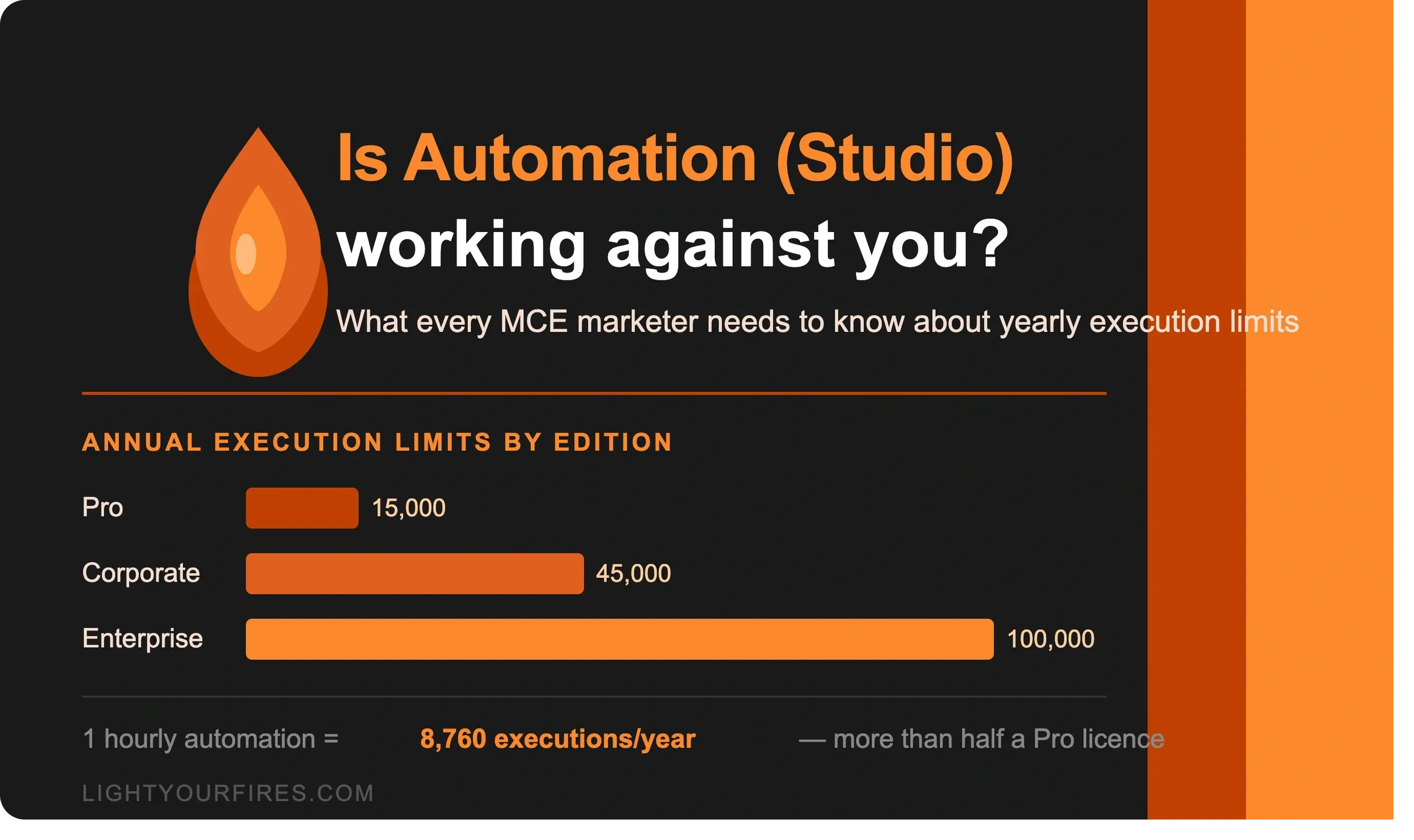
Your MCE license includes an annual limit on Automation Studio executions. The ceiling depends on your edition, number of business units, additions purchased during the contract, and potentially other factors. At a start, the limits by edition are: Basic — Not Included; Pro — 15,000 annually; Corporate — 45,000 annually; Enterprise — 100,000 annually. The math catches most people off guard. A workflow running every hour runs 8,760 times a year. A Pro licence customer who sets up just two of those has already used their full annual budget — before touching anything else. Jump to every-15-minutes scheduling and a single automation accounts for over 35,000 executions. When you exceed the limit, Salesforce doesn't shut anything down — instead, the overage triggers a likely dreaded conversation about what it costs to expand your allotment.
| Edition | Annual Executions |
|---|---|
| Basic | Not Included |
| Pro | 15,000 |
| Corporate | 45,000 |
| Enterprise | 100,000 |
The Right Question Isn't "How Do I Run Less?"
It's "Am I running more than I need to?" There's an important distinction. Automations drive real outcomes — keeping segments current, feeding journeys with fresh data, importing records that need to be actioned. Cutting frequency just to hit a number isn't the goal. Cutting frequency where it doesn't change the outcome is. A workflow that refreshes a segment every 30 minutes for a journey that only evaluates enrollment once a day? The extra runs aren't adding value. An hourly sync that keeps lead data current for a sales follow-up sequence where timing matters? That cadence is doing its job.
Four Ways to Bring the Numbers Down
Consolidate automations that share a schedule. In the current state, each automation run counts as one execution regardless of how many steps are inside it. If you have several workflows on the same cadence, combining them into one can dramatically reduce your execution count while preserving everything the individual automations were doing. Careful though as if the time to run exceeds the frequency, you'll see notifications of a skipped run. Plan accordingly.
Match the schedule to when the data actually changes. An automation syncing data that only refreshes once a day doesn't benefit from running every hour. Aligning cadence to the real update rhythm of the underlying data is usually the easiest and lowest-risk adjustment.
Shift event-driven logic to Journey Builder. Execution limits apply to Automation Studio — not to Journeys. If some of your automations are responding to individual contact-level triggers (a behavior, a CRM update, a form submission), Journey Builder is likely the better architectural fit and removes those runs from your count entirely.
Audit for automations that have outlived their use case. Long-running MCE instances almost always have scheduled workflows that are still active but no longer connected to anything meaningful. Treating the optimizer as an inventory exercise — not just a math exercise — surfaces these for review.
Use this calculator to compare the number of annual runs for a single automation.
What the Optimizer Helps You See
The Marketing Automation Inventory and Frequency Optimizer is a free spreadsheet built specifically to make this analysis easy. List your automations, select the current run frequency from a dropdown, and it calculates annual executions automatically — no math on your end. Then select a proposed frequency for each one and watch the numbers update in real time. A summary panel at the top shows your total current execution count, what it would be with the proposed changes, the reduction, and the percentage saved. A Notes column is there for the "why" behind each decision — context that's easy to lose once the work is done but invaluable when someone asks six months later.
Are You Leaving Capacity on the Table?
Not every audit reveals an overuse problem. If you work through the optimizer and find you're well within your limit, that's worth noting too — because those unused executions represent capability you're already paying for. Automation Studio can do a lot of the heavy lifting that often gets handled manually: routine data imports, scheduled list hygiene, query-based segment builds, even coordinating multi-step processes that currently require someone to remember to kick them off. Knowing you have headroom now is the right time to think about where automation could be working harder for you, before you're in a reactive conversation about limits.
Useful If You're Thinking About MC Next
Marketing Cloud Next (MCN) takes a different architectural approach to data processing and campaign logic, and Automation Studio doesn't translate directly into the new platform. Every scheduled automation in your current instance is a decision you'll need to make during migration: keep it, retire it, or rebuild it differently.
Working through the optimizer now gives you a documented inventory — what each automation does, how often it runs, and any notes on its purpose — that becomes a useful input for scoping a migration and identifying what carries over cleanly versus what needs rethinking.
Start with Automation Studio's History tab to see what's actively running, fill in what you know, and let the spreadsheet do the rest. Even if you're comfortable with where you stand today, knowing your trajectory before your Account Executive does is always the better position to be in.
Your automations should be working for your marketing program — not quietly working against your budget.
* Execution limit figures drawn from Salesforce's published licence terms. Mateusz Dąbrowski's documentation is also ALWAYS an excellent resource. Check out his full site as it's a treasure!
Want Help Auditing Your Automation Studio Setup?
Light Your Fires specializes in exactly this kind of work — auditing your Automation Studio setup and your account to make sure everything is running the way it should.
Let's Talk